




Does Icedove have a log-in/log-out button?
- Anmelden oder Registrieren um Kommentare zu schreiben

Set up an email account with Icedove. While that was straightforward, found no log-out button, meaning anytime I open Icedove again, emails are right there, meaning if my screen wasn't locked other people in the house could launch Icedove and look right at it. Is there a way to add a log-in/log-out button to Icedove that is used when starting and ending icedove? Or such log-in/log-out can only be set up for the individual e-mail accounts? For answers to questions should I simply look at what is written about Thunderbird? Thanks in advance for answers!


Usually icedove/thunderbird are personal "suites". So yeah not the best idea on public computers. You can create a OS profile and have it under a password, that's keep one public account, and a personal for individuals.
If you have the disk encrypted then even when the PC is off you need to unlock the access to the files that helps you too, going further anyone with sudo access could copy your icedove folder and have a copy of your profile, for that reason you can add a password to protect all the accounts.
Settings > Privacy and security > Password > Use main password (translated from Spanish).
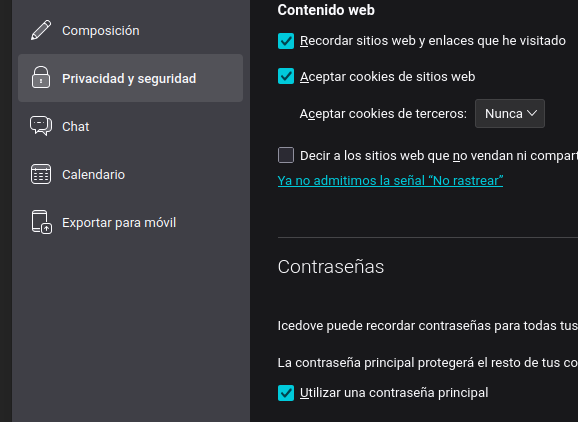
That will encrypt your folder so your accounts are locked behind a password, that's the most I've been using it, I don't know how to use profiles or if that's even possible, maybe not.
Hope that helps.